

On-Page SEO Audit Checklist for Business Websites
DesignFXPro runs every on-page audit in this same order and checks each finding against Google Search Central, not against tool scores. In our FluentSeed engagement, that page-by-page approach helped keywords in Google's top 10 grow from 4 to 54 and indexed pages grow from 14 to 84.
What is an on-page SEO audit?
An on-page SEO audit is a page-level review of the content and HTML that you control, such as titles, headings, copy, links, images and markup. It is different from a technical audit of the whole site, though the two overlap on indexing and mobile usability.
The goal is simple: each page should answer one search task clearly and give the visitor a useful next step. Google's SEO Starter Guide frames the work the same way, focusing on content that helps people and on signals that help Google understand it.
Audit in this order: can Google index it, does it match the search task, does it explain itself (title, headings, links, images), and does it work on mobile. Fixing a title on a page Google cannot index wastes the effort.
What do you need before starting the audit?
You need a defined purpose for each page, access to Google Search Console and Google Analytics 4, a way to publish changes, and a short list of priority pages. Free tools are enough for a first audit.
- A list of 10 to 20 priority pages, such as service pages and top landing pages.
- One sentence per page describing the reader's task and the action you want them to take.
- Search Console access for the Performance report and URL Inspection.
- GA4 access with key events set up for calls, forms or bookings.
- A dated change log, so you can link later results to specific edits.
How do you run an on-page SEO audit step by step?
Run the audit one page at a time, in the order below. Each step builds on the one before it, and each points to the Google Search Central page that defines the standard.
- Confirm indexing with the URL Inspection tool, and check that the page is not blocked by robots.txt or a noindex rule.
- Check the search task: compare the page with what currently ranks for its main query and confirm the format matches.
- Review the title element: unique, descriptive, concise and free of keyword stuffing.
- Review the meta description: specific to the page and accurate.
- Inspect headings: one clear main heading and a logical outline that matches the reader's questions.
- Check internal links: crawlable links with descriptive anchor text, and at least one link pointing to the page.
- Check images: descriptive alt text and file names, with no keyword stuffing.
- Test on a phone: the same content as desktop, readable text, working forms and tap-to-call.
- Validate structured data, and confirm it matches visible content.
- Log every change with the date, then review results after a few weeks.
This checklist has limits. A site with hundreds of templated pages, or a page that fails because of server errors or slow hosting, needs a site-wide technical audit first, because page-level edits cannot fix those causes.
What does Google's documentation say about each checklist item?
Google Search Central documents a standard for almost every on-page element. The table summarizes what to check and what Google actually says, so you audit against the source rather than against tool scores.
| Element | What to check | What Google says |
|---|---|---|
| Indexing | URL Inspection status and Google-selected canonical | URL is on Google does not guarantee the page will appear in results |
| Noindex and robots.txt | No accidental noindex; noindex pages not blocked | If robots.txt blocks the page, the crawler never sees the noindex rule |
| Title element | Unique, descriptive, concise | Every page should have a title; there is no maximum length, but long titles may be truncated |
| Meta description | Unique and accurate for the page | There is no limit on length; snippets are primarily created from page content |
| Headings | Clear outline that answers real questions | Heading order does not matter to Google, but semantic order helps screen readers |
| Internal links | Crawlable a href links, descriptive anchors | Every page you care about should have a link from at least one other page |
| Images | Descriptive alt text | Avoid filling alt attributes with keywords |
| Mobile | Same content as desktop | Google uses the mobile version for indexing and ranking |
| Page experience | Core Web Vitals | Aim for LCP within 2.5 seconds, INP under 200 milliseconds, CLS under 0.1 |
| Structured data | Markup matches visible content | Google does not guarantee structured data will show in results |
Sources: URL Inspection tool, blocking indexing with noindex, title links, snippets and meta descriptions, crawlable links, image best practices, mobile-first indexing, Core Web Vitals and structured data policies.
Which on-page findings should you fix first?
Fix findings in order of impact: anything that blocks indexing first, then mismatched search intent, then pages that get impressions but no enquiries, then overlaps between pages. Cosmetic warnings from audit tools come last.
| Finding | What to investigate | Next action |
|---|---|---|
| Page not indexed | Noindex, robots.txt, canonical, crawl access | Remove the block, then request indexing |
| Ranks for the wrong queries | Search Console queries versus the page's purpose | Rewrite the page around the right task or retarget it |
| Impressions but no enquiries | Title, snippet, offer and calls to action | Improve the title and the page's next step |
| Two pages compete for one task | Which page answers the task best | Merge, redirect or differentiate the pages |
Treat tool warnings as questions, not orders. A missing meta description, for example, is low risk because Google says it creates snippets primarily from page content, while a stray noindex can remove a page from Search entirely.
Common mistakes in on-page SEO audits
Most audit mistakes come from following tool scores instead of Google's documentation, or from changing too much at once. These are the ones we see most often.
- Rewriting titles to hit a character count, when Google sets no maximum length for title elements.
- Adding keywords to alt text, which Google's image guidance says to avoid.
- Blocking a page in robots.txt and expecting a noindex tag to work.
- Marking up FAQs or reviews in structured data that are not visible on the page.
- Auditing on desktop only, when Google indexes the mobile version.
- Changing many pages at once with no change log, so no one can tell what worked.
How can you measure whether the changes helped?
Measure on-page changes with Search Console for search visibility and GA4 for business actions, and compare the same date ranges before and after. The FAQ below covers how long Google usually takes to reflect a change.
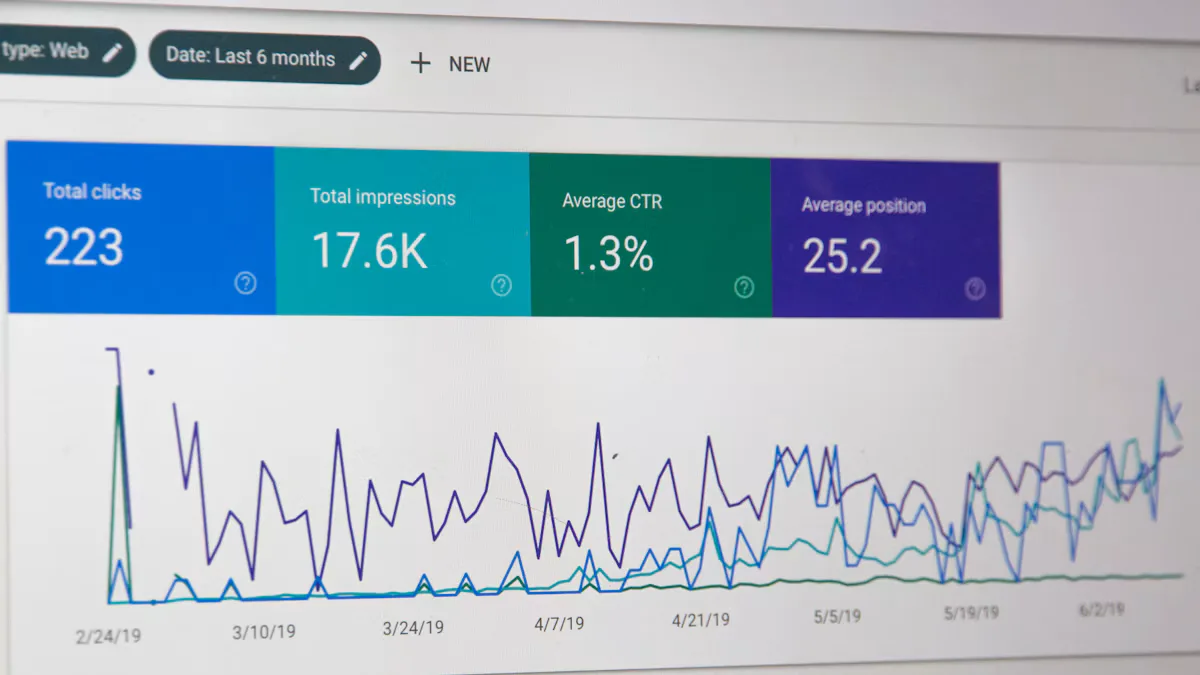
In Search Console's Performance report, track clicks, impressions, CTR and average position for each edited page. In GA4, track key events, which Google defines as events that measure actions particularly important to your business, such as a form or a call.
Account for outside factors such as seasonal demand, algorithm updates and changes in competition. A page whose impressions rose but whose enquiries did not may need a better offer, not more SEO.
How can DesignFXPro help with an on-page SEO audit?
DesignFXPro runs on-page audits against Google's documentation, not just tool scores, and ties every fix to revenue-linked KPIs such as calls and form submissions. We follow our discover, strategize, execute and optimize process, measuring weekly and iterating on what moves results.
In our FluentSeed case study, a children's book brand, keywords in Google's top 10 grew from 4 to 54 during an ongoing on-page SEO engagement, and indexed pages grew from 14 to 84. Results vary by site, competition and starting point.
Our on-page SEO services cover the audit, the fixes and the reporting, and our technical SEO services handle site-wide crawl and speed issues. If overlapping pages show up in your audit, our guide on how to map keywords to pages explains how to give each search task one clear destination.
Frequently asked questions
How often should you run an on-page SEO audit?
Can you do an on-page SEO audit without paid tools?
A spreadsheet and a phone for mobile testing cover the rest. Paid crawlers save time on large sites but are not required for a first audit.
Should you rewrite pages that get little traffic?
If another page already covers the same task better, merge or redirect. If the page serves customers but not search, such as a policy page, leave it alone.